Team AgentOffice
AgentOffice
Your office. Your agents. Your workflow.
Video Demo
About this project
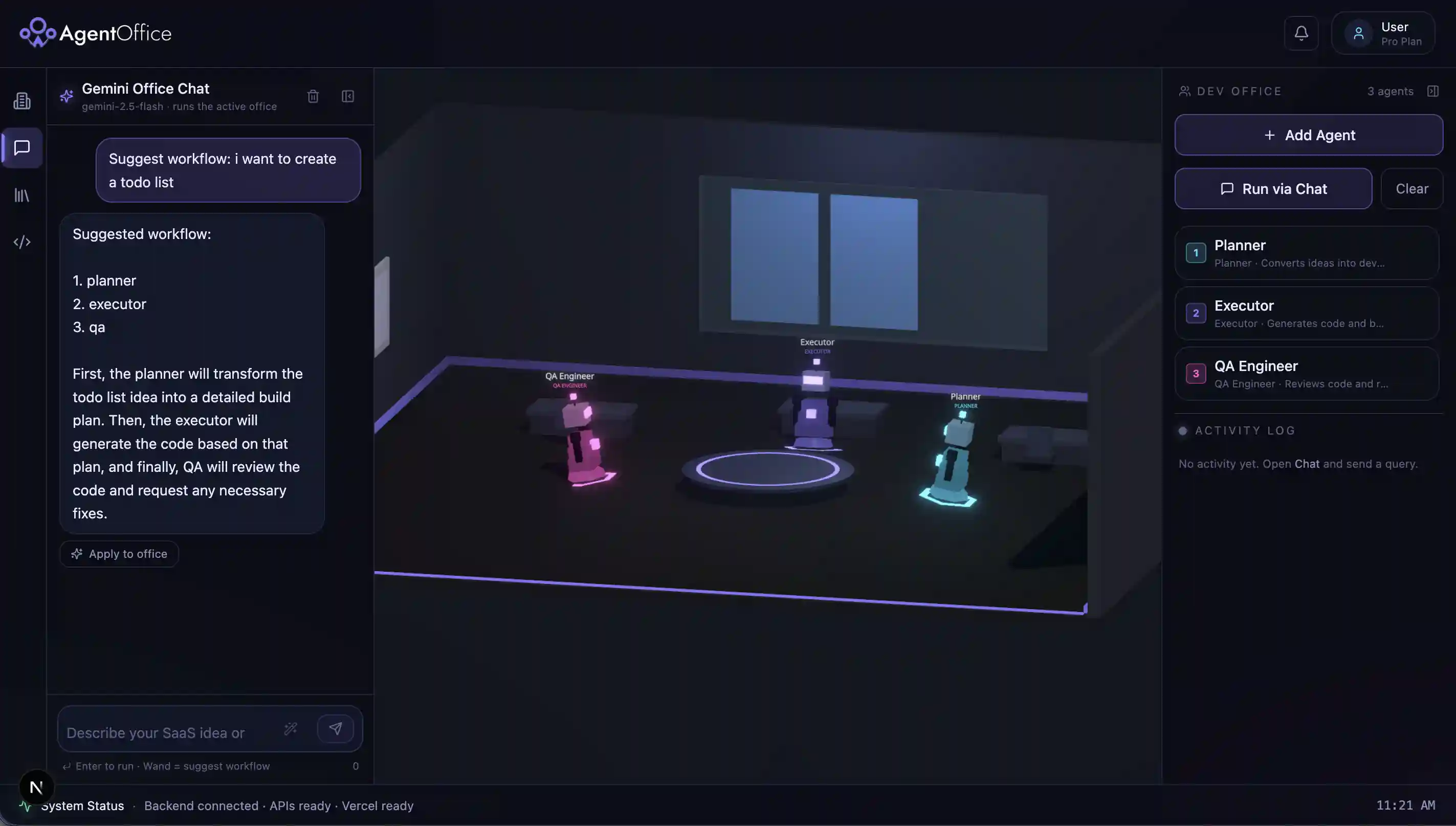
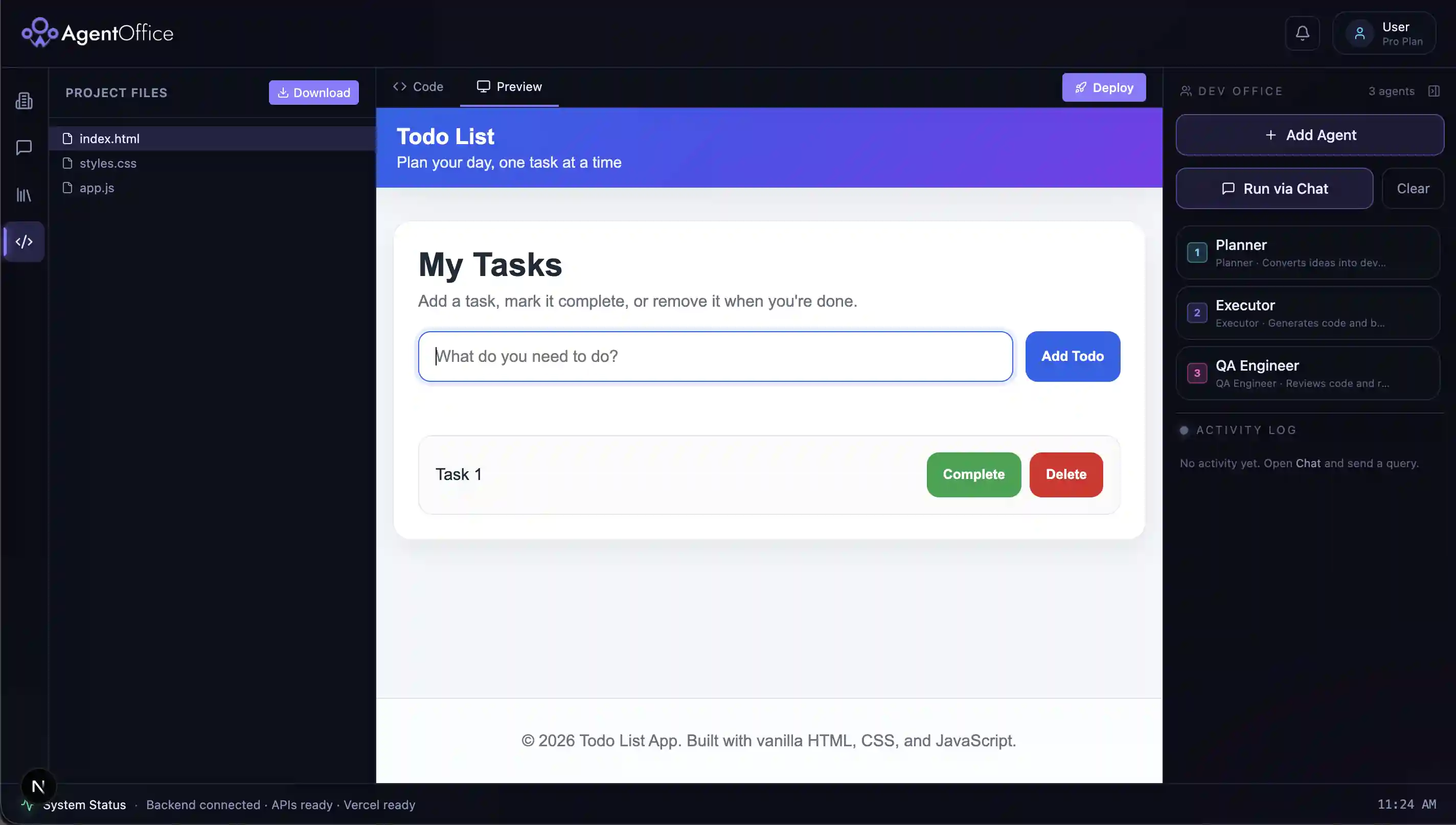
AgentOffice is a visual multi-agent workspace where you build an AI “office” by adding agents to a roster — that order is your workflow. Run research pipelines (search → analyze → summarize → cite) or a SaaS developer pipeline (plan → code → QA → deploy) in a 3D environment, with agents that review each other and retry when quality fails. What is AgentOffice? AgentOffice lets anyone run a team of specialized AI agents without wiring up n8n, LangChain graphs, or custom automation. You add agents (or ask ai to add) in the order you want them to work, type a query, and watch them collaborate in a 3D office UI. Each agent passes its output to the next; when an agent rejects work (e.g. weak sources or bad code), the pipeline loops back and retries with feedback — like a real team. Problem: Most AI tools are single chatbots or complex automation builders. Students, researchers, and founders often need multi-step workflows (research with citations, or idea → code → review) but don’t want to learn workflow tools or manage multiple APIs. Solution: AgentOffice treats your roster as the workflow: drag agents into order, optionally use Suggest workflow (Gemini recommends agents), then Run. Two offices ship today: Research Office — Searcher finds sources → Analyzer validates quality → Summarizer writes the summary → Sender formats APA 7 / MLA citations. If sources are weak, Analyzer sends the run back to Searcher. SaaS Developer Office — Planner turns an idea into a build plan → Executor (OpenAI) generates real project files → QA reviews and can send work back to Executor → results appear in a code preview, with zip export, chat-based edits, and optional one-click Vercel deploy. Key features: 1. 3D visual office with activity log and agent animation 2. Roster-driven orchestration (no manual workflow JSON) 3. AI-suggested agent workflows 4. Intervention / retry logic between agents 5. Streaming developer runs with live progress 6. Library for past runs (PDFs for research)
Gallery